

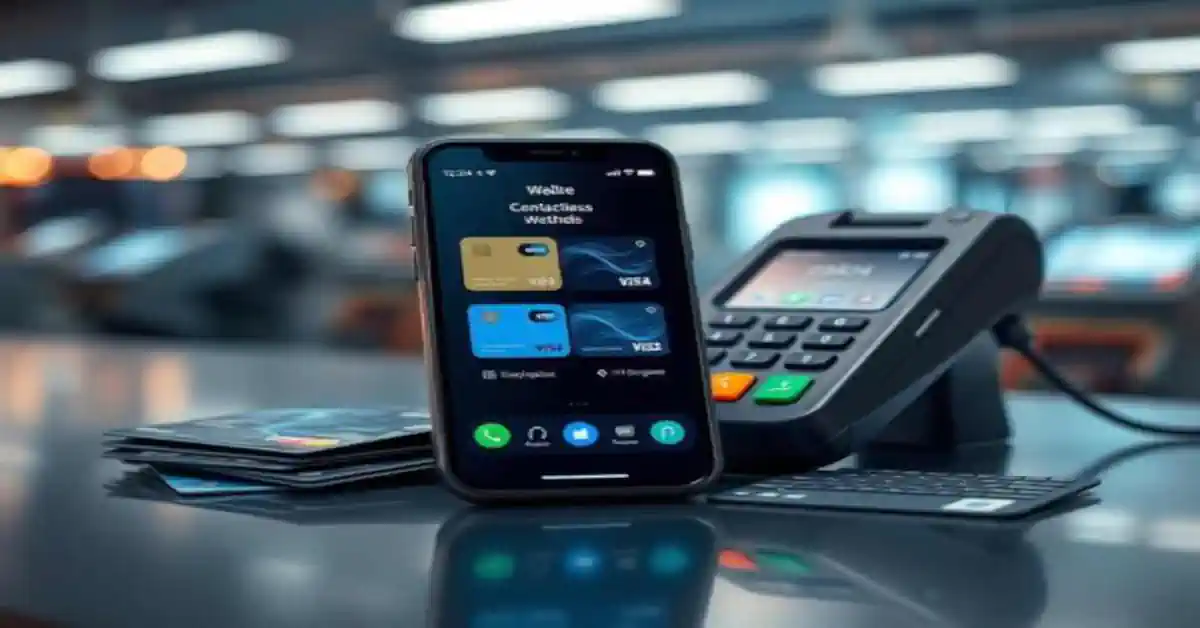
Ready to simplify your transactions? Discover how to use smart payment methods, from contactless cards to mobile wallets, to make payments faster, safer, and more convenient than ever before.
Introduction
Let’s face it, fumbling for cash or digging through a bulky wallet feels positively prehistoric these days, doesn’t it? We live in an era where our smartphones are practically extensions of ourselves, capable of so much more than just calls and texts. So why are we still clinging to outdated payment methods? It’s time to get with the program and embrace the revolution of smart payment methods! This isn’t some far-off sci-fi fantasy; it’s a tangible, everyday reality that can seriously streamline your life. If you’ve been eyeing those contactless readers with a mix of curiosity and apprehension, or if the idea of paying with your phone sounds a tad bewildering, fear not! We’re about to dive headfirst into the wonderful world of how to use smart payment methods, breaking it all down into easy-to-digest chunks. Prepare to be amazed at how simple, secure, and downright convenient these modern marvels truly are.
The Smart Payment Landscape: What’s Actually “Smart”?
Before we get into the nitty-gritty of how to use them, let’s get a handle on what we’re talking about. When we say “smart payment methods,” we’re referring to a spectrum of technologies that go beyond traditional cash and chip-and-PIN cards. These methods leverage digital infrastructure and advanced security features to offer a more seamless and often more secure transaction experience. Think of it as upgrading from a flip phone to a smartphone – the core function (communication) is the same, but the capabilities and user experience are exponentially better.
Why Go Smart? The Undeniable Perks
You might be thinking, “Why bother? My card works just fine.” Well, let’s peel back the layers and explore the compelling reasons why making the switch to smart payment methods is a no-brainer:
Speed and Convenience: Zap, Tap, and Go!
This is arguably the biggest draw. Imagine this: you’re in a long queue at your favorite coffee shop, the person in front of you is meticulously counting out change, and you’re just about to lose your cool. With a smart payment method, you can be in and out in seconds. A quick tap of your card or a simple tap of your phone, and bam – payment complete. No more waiting for chip readers to do their thing, no more signing receipts (though some vendors still prefer it for larger amounts). It’s a frictionless experience that truly respects your time.
Enhanced Security: Keeping Your Money Safe and Sound
This is a common concern, and it’s a valid one. Many people worry about the security of digital payments. However, smart payment methods often boast superior security features compared to traditional methods.
Tokenization: The Digital Cloak of Invisibility
One of the key technologies behind this enhanced security is tokenization. When you add your card to a mobile wallet, your actual card number isn’t stored on your device or transmitted during a transaction. Instead, it’s replaced with a unique, randomly generated code called a “token.” This token is useless to a fraudster even if it were intercepted, as it can’t be used to make purchases elsewhere or traced back to your actual card. Pretty neat, right?
Biometric Authentication: Your Fingerprint is Your PIN
Many smartphones and smartwatches utilize biometric authentication – fingerprints or facial recognition – to authorize payments. This is far more secure than a memorized PIN, which can be forgotten, written down, or observed by prying eyes. If your phone is lost or stolen, a thief won’t be able to access your payment information without your unique biometric data.
Real-time Fraud Monitoring: Always on Guard
Financial institutions employing smart payment technologies often have sophisticated real-time fraud monitoring systems in place. Any suspicious activity is flagged instantly, and you’ll likely receive an alert on your phone, allowing you to quickly confirm or deny the transaction. This proactive approach is a significant deterrent to fraudulent activity.
Reduced Contact: A Healthier Way to Pay
In today’s world, minimizing physical contact is a priority for many. Smart payment methods, particularly contactless options, allow you to pay without touching payment terminals, cash, or even your own wallet. This offers an added layer of hygiene and peace of mind.
How to Use Smart Payment Methods: A Step-by-Step Guide
Alright, enough preamble! Let’s get down to business. Here’s your practical guide on how to use smart payment methods, covering the most common options:
1. Contactless Credit and Debit Cards: The Gateway to Smart Payments
If you’ve got a credit or debit card with the contactless symbol (it looks like a sideways Wi-Fi symbol), you’re already halfway there!
How It Works
- Look for the Symbol: When you’re at a checkout, keep an eye out for the contactless payment symbol on the card reader.
- Tap and Go: Simply hold your card within a few inches of the contactless symbol on the payment terminal. You don’t need to insert it or swipe it.
- Confirmation: The terminal will usually beep or display a confirmation message, and your payment will be processed. For smaller transactions, you often won’t even need to enter your PIN. For larger amounts, you might be prompted to enter your PIN for an extra layer of security.
Getting a Contactless Card
Most new credit and debit cards issued today are equipped with contactless technology. If yours isn’t, you can usually request an upgrade from your bank or card issuer.
2. Mobile Wallets: Your Phone as Your Purse (or Wallet!)
This is where things get really “smart.” Mobile wallets allow you to store digital versions of your credit and debit cards on your smartphone or smartwatch. The most popular options include Apple Pay, Google Pay (formerly Android Pay), and Samsung Pay.
Setting Up Your Mobile Wallet
The process is generally straightforward and similar across different platforms:
- Download the App: If you don’t already have a mobile wallet app on your device (e.g., the “Wallet” app on iOS, “Google Pay” on Android), download it from your device’s app store.
- Add Your Cards: Open the wallet app and look for an option to “Add Card” or “+”. You’ll typically be prompted to either:
- Scan Your Card: Use your phone’s camera to scan the front of your physical card. The app will automatically populate most of the details.
- Enter Details Manually: If scanning doesn’t work, or if you prefer, you can manually type in your card number, expiry date, and CVV.
- Verify Your Card: For security, your bank or card issuer will need to verify that you are the legitimate cardholder. This usually involves:
- Receiving a Text Message (SMS) with a code.
- Getting a phone call with an automated message.
- Using your bank’s mobile app to approve the addition.
- Accept Terms and Conditions: You’ll need to agree to the terms and conditions of both the mobile wallet provider and your card issuer.
Once your card is added and verified, it’s ready to use!
How to Pay with Your Mobile Wallet
- Wake Up Your Device: You usually don’t need to unlock your phone entirely for contactless payments. For Apple Pay, you might need to double-click the side button. For Google Pay, you might just need to wake up your device.
- Hold Near the Reader: Hold your unlocked smartphone or smartwatch near the contactless payment terminal, just like you would with a contactless card.
- Authenticate: You’ll be prompted to authenticate the payment using your fingerprint, facial recognition, or device passcode.
- Confirmation: The terminal will indicate when the payment is complete.
3. Smartwatches: Your Wrist, Your Wallet
If you own a smartwatch that supports contactless payments (like Apple Watch, Samsung Galaxy Watch, or Wear OS watches), you can use it just like a mobile wallet on your phone. The setup process is usually done through the companion app on your smartphone.
Setting Up and Paying
The steps are very similar to setting up a mobile wallet on your phone. You’ll add your cards through the watch’s settings or its associated smartphone app and then authenticate payments by holding your wrist near the terminal and using your watch’s security features (like a passcode or gesture). It’s incredibly convenient when you’re on the go and don’t have your phone readily accessible.
4. QR Code Payments: Scan to Pay
QR code payments are gaining traction, especially in certain regions and for specific types of transactions. These involve scanning a Quick Response (QR) code displayed by the merchant (either on a screen or a physical sign) using your smartphone’s camera or a dedicated payment app.
How It Works
- Merchant Displays QR Code: The merchant will present a QR code that contains payment details.
- Scan the Code: Open your phone’s camera app or your preferred payment app (like PayPal, Venmo, or a specific merchant app) and scan the QR code.
- Enter Amount (if needed): Some QR codes pre-fill the amount, while others require you to enter the amount you wish to pay.
- Confirm Payment: Review the details and confirm the transaction within the app.
5. In-App and Online Payments: Seamless Digital Transactions
This is probably the most common way many of us already use smart payment methods without even consciously thinking about it! When you buy something online or within an app, you’re often using a streamlined digital payment process.
How It Works
- Select “Pay Now” or Checkout: Proceed to checkout in an online store or app.
- Choose Payment Method: You’ll see options like “Credit Card,” “PayPal,” “Apple Pay,” “Google Pay,” etc.
- Use Saved Details or a Digital Wallet: If you’ve previously saved your card details or linked a digital wallet, the process is often as simple as clicking a button and authenticating with your password, fingerprint, or facial scan.
- Enter New Details: If it’s a new purchase, you’ll enter your card details as usual, but the checkout process is designed to be quick and efficient.
Tips for Mastering Smart Payments
To truly become a master of how to use smart payment methods, here are a few extra pointers:
- Keep Your Apps Updated: Ensure your mobile wallet apps and your device’s operating system are always up-to-date. Updates often include security patches and new features.
- Enable Security Features: Always set up a strong passcode, fingerprint, or facial recognition on your device. It’s your first line of defense.
- Be Mindful of Your Surroundings: While smart payments are secure, always be aware of who is around you when making a transaction, especially if you need to enter a PIN.
- Monitor Your Statements: Just as you would with traditional cards, keep an eye on your bank and credit card statements for any unauthorized transactions.
- Understand Transaction Limits: While many contactless payments have limits for PIN-free transactions, digital wallets often allow for higher amounts, depending on your bank and the merchant.
- Don’t Be Afraid to Ask: If you’re unsure about a merchant’s payment options or how to use a specific smart payment method, don’t hesitate to politely ask the cashier for assistance. They’re usually happy to help!
Frequently Asked Questions (FAQs)
Q1: Are smart payment methods really more secure than cash?
A1: Yes, in many ways, they are. Features like tokenization and biometric authentication make it much harder for criminals to steal your financial information compared to carrying cash or even traditional cards.
Q2: What happens if I lose my phone or smartwatch?
A2: If your device is lost or stolen, you can remotely lock or wipe it using services like “Find My iPhone” or “Find My Device” (for Android). You can also usually contact your bank or card issuer to immediately disable any cards linked to your mobile wallet.
Q3: Can I use my smart payment method everywhere?
A3: While the acceptance of smart payment methods is rapidly growing, it’s not yet universal. Look for the contactless symbol or ask the merchant if they accept mobile payments.
Q4: Do I need an internet connection to make a payment with my mobile wallet?
A4: No, for contactless payments (like tapping your phone at a terminal), you generally do not need an active internet connection or cellular data. The payment is processed via near-field communication (NFC) technology. However, for initial setup and adding cards, you will need an internet connection.
Q5: Is there a fee for using smart payment methods?
A5: Typically, there are no extra fees for consumers to use contactless cards or mobile wallets for everyday purchases. Merchants might pay slightly higher transaction fees, but this is usually integrated into their overall merchant account costs.
Conclusion
So there you have it! How to use smart payment methods is less of a daunting technical challenge and more of an exciting evolution in how we interact with our money. From the simple convenience of tapping your contactless card to the futuristic ease of paying with your smartwatch, these technologies are designed to make your life simpler, faster, and more secure. Embracing smart payments isn’t just about keeping up with trends; it’s about adopting tools that genuinely enhance your daily financial experience. So next time you’re at the checkout, ditch the fumbling, skip the cash, and confidently tap, scan, or wave your way to a seamless transaction. The future of payments is here, and it’s incredibly easy to use!
Banking
Understanding Bank Fees and Charges
Disclaimer: This article is for informational and educational purposes only and should not be construed as financial, investment, or legal advice. Financial markets and product terms change frequently. Always conduct your own research or consult with a qualified financial advisor before making any financial decisions.
[…] common is the account maintenance fee, which is a regular charge for keeping your account open. ATM usage fees can apply when you use machines outside your bank’s network, sometimes resulting in […]